Installation of ChronoScan Web Server
Prerequisites:
-
Internet connection for license activation
-
-
Microsoft .NET framework 3.5
-
SQL Server(tm) Express 2014 (or a compatible version of SQL Server)
-
Download from Microsoft Web Site.
-
-
-
-
-
-
If you have received a sample data zip file, decompress it on your %programdata%/ChronoScan folder.
Step by Step Installation guide
Follow this steps to install a ChronoScan Web Server.
-
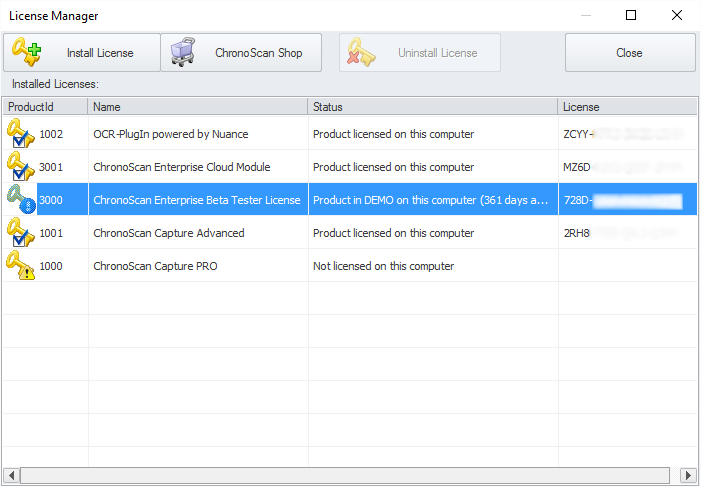
Install all the pre-requisites and activate your licenses on the ChronoScan Desktop Edition license manager window:
-
ChronoScan Input Server (only if you're using automated input services):
-
Open a command line and go to the %installdir%\ChronoScan\Bin and execute:
-
chrono_input_server -runasexe to use the processing service as an executable.
-
SC Create "WCI_IMPORT_SERVER" binPath= "\"c:\Program files(x86)\ChronoScan\Bin\chrono_input_server.exe\""
-
ChronoScan Export Server:
-
Open a command line and go to the %installdir%\ChronoScan\Bin and execute:
-
chrono_out_server -runasexe to use the processing service as an executable.
-
SC Create "WCI_EXPORT_SERVER" binPath= "\"c:\Program files(x86)\ChronoScan\Bin\chrono_out_server.exe\""
-
-
Open a command line and go to the %installdir%\ChronoScan\Bin and execute:
-
chrono_wci -runasexe to use the processing service as an executable.
-
SC Create "WCI_WEB_SERVER" binPath= "\"c:\Program files(x86)\ChronoScan\Bin\chrono_wci.exe\""
Default servers information:
|
Service Name
|
Default port
|
Log directory
|
|
chrono_types_server.exe
|
9006
|
C:\ChronoScanLog\chrono_types_server.exe
|
|
chrono_input_server.exe
|
9007
|
C:\ChronoScanLog\chrono_input_server.exe
|
|
chrono_proc_server.exe
|
9008
|
C:\ChronoScanLog\chrono_proc_server.exe
|
|
chrono_out_server.exe
|
9009
|
C:\ChronoScanLog\chrono_out_server.exe
|
|
chrono_wci.exe
|
10000
|
C:\ChronoScanLog\chrono_wci.exe
|
This ports should be opened in the server firewall to allows external connections.
Create the log directory if you want to get an extended activity log for problem reporting and system debug.
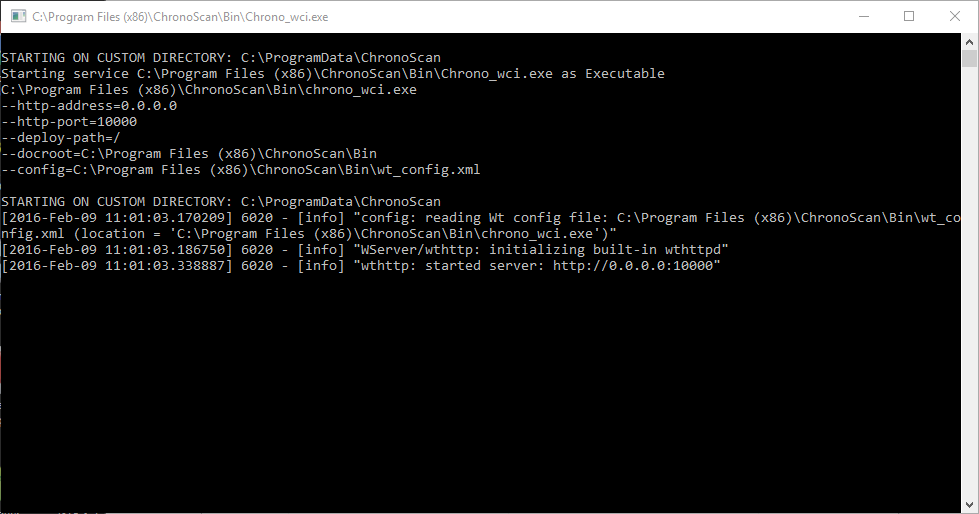
WCI running as executable: